
First Attempts at a Second Brain
A few years ago — maybe 2021 — I first encountered the idea of a second brain. I even bought a well-known book on the subject by Tiago Forte . At the time, I was transitioning careers and looking for a way to organize my life and structure my learning. The concept seemed simple enough: capture everything, organize it, connect it, surface it when you need it.
I chose Notion as my platform of execution. There were already plenty of second brain templates floating around, but I chose a basic framework and figured I could grow with it.
Fast forward six weeks and my first second brain just... slipped away.
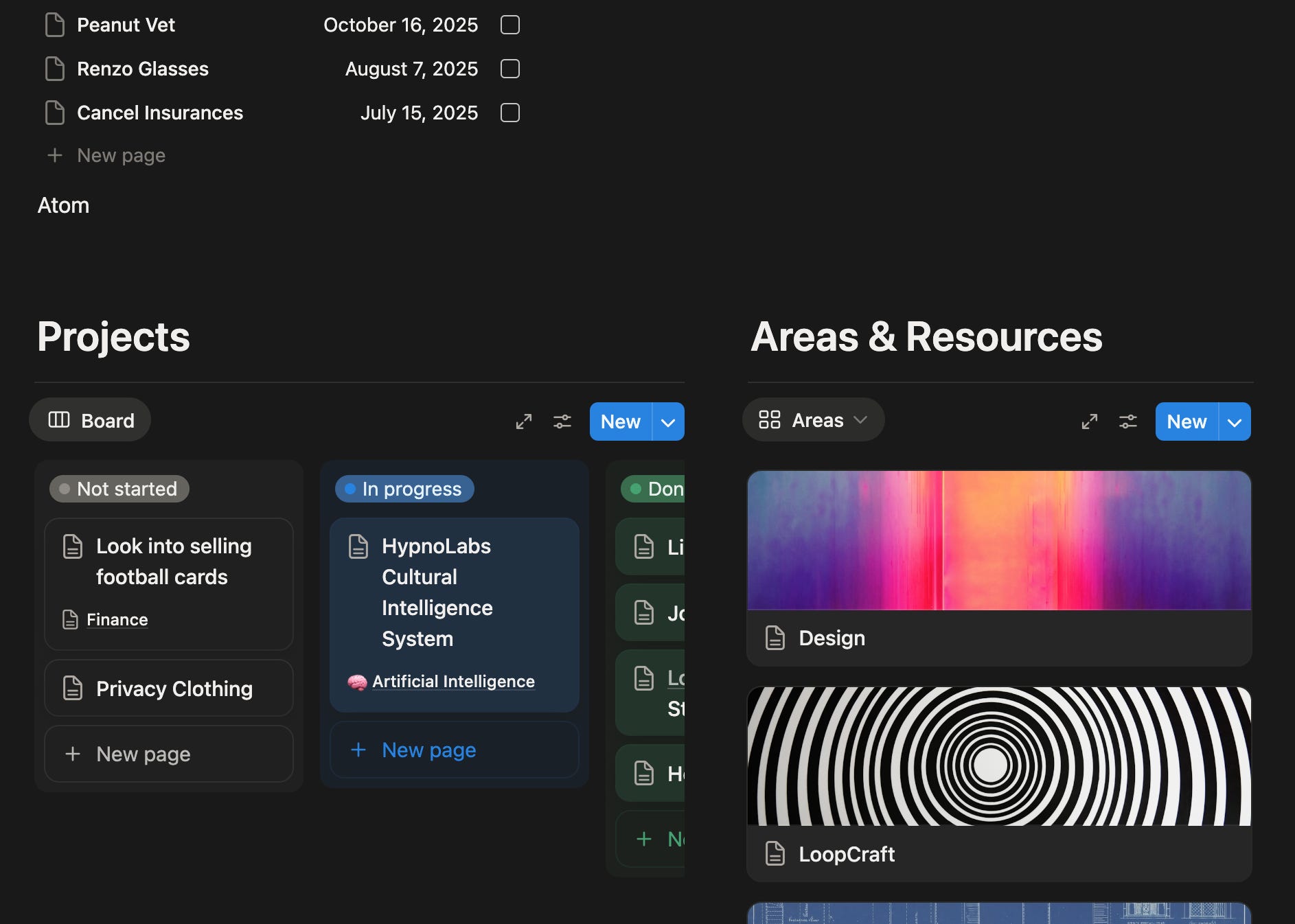
My failed system now mainly keeps track of work — but it’s far from inspiring or invigorating. I find creating systems fun, but daily upkeep tedious and tiring. The more I focus on maintaining the system, the less I want to actually use it for the things I tried designing it to do.
Fast forward to now. I use Claude Code as the base for my second brain and it just works. The system is more dynamic, adaptable, and genuinely useful than anything I’ve built before.
Here’s how to set one up.
The Stack
To get this second brain running you need:
A computer: Linux or Mac. It may work on Windows, but I haven’t tested that.
A markdown editor: A file editor. I use Zed, but VS Code works fine. If you’re not comfortable with git, you can use an Obsidian-based setup. Advanced users can work entirely in the terminal.
Claude Code: Not Claude Desktop, not Claude in your browser — Claude Code specifically, because it’s agentic. It reads files, writes files, runs commands, makes decisions. As of January 2026, Claude Code is the best option for this kind of ambient, agentic work. You could try other agentic models, but if you want to see a premiere example of what’s possible, start here.
How It Actually Works
Claude manages the system, I just use it.
I don’t navigate folders. I don’t manually file things. I don’t update databases or check off todos in some interface. I just talk to Claude and things happen.
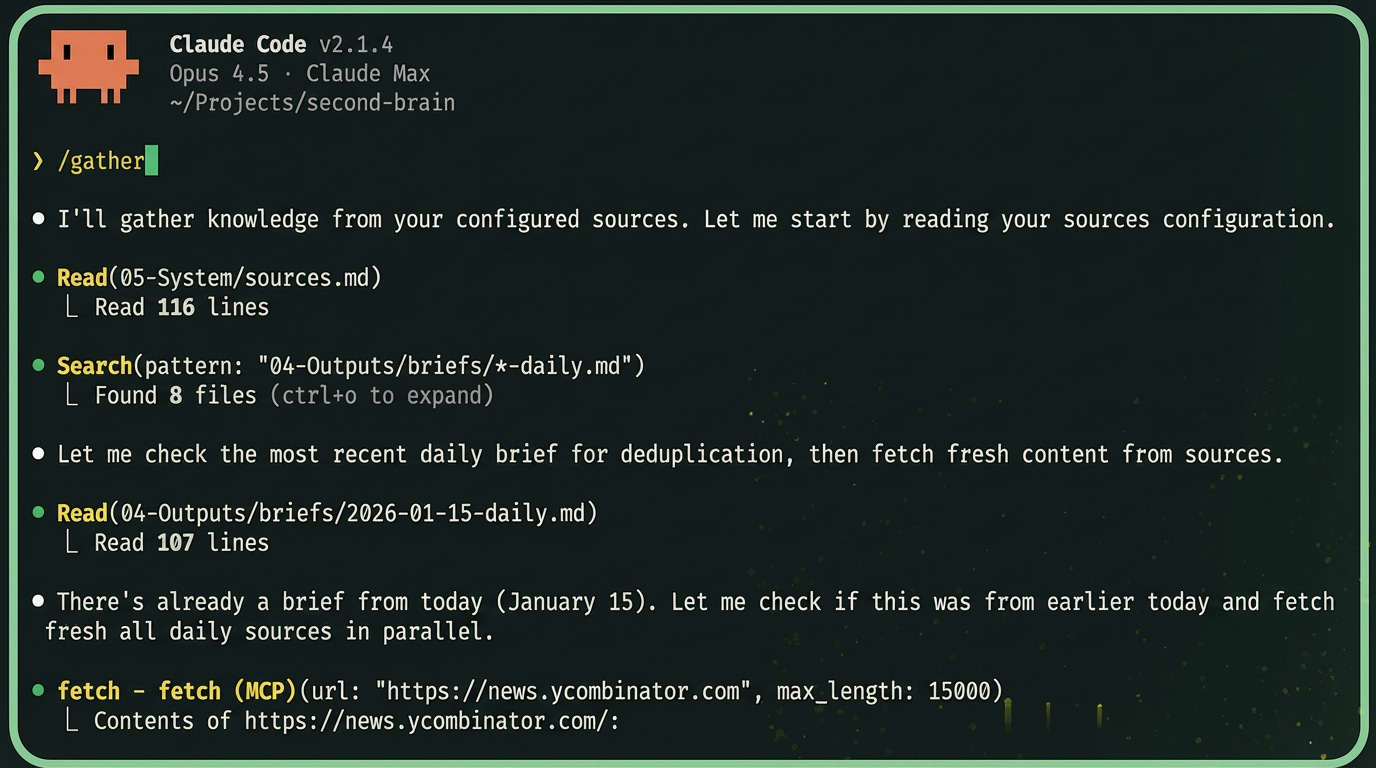
I ask Claude Code something like “what’s new?” and Claude runs the /gather command in the background and gives me a brief.
If I want to work on a specific goal, I mention it — “let’s work on the Loopcraft site” — and Claude pulls up relevant context, recent progress, and suggests next steps.
What Makes This Agentic
You’ve probably heard the term “agent” thrown around a lot lately. The definition keeps shifting a little, but here’s how I think about it: an agent is an AI that can reason and can take actions, not just generate text.
When I tell Claude Code to “process my inbox,” it doesn’t explain how to process my inbox. It actually does it — reads the files, decides where each item belongs, creates new files, moves things around, updates the log. I watch it happen. The AI has tools it can use: reading files, writing files, running commands, fetching web pages. It decides which tools to use and when.
But how does the agent know what to do? How does it know where to put files, what commands are available, how I want things formatted? That’s where markdown comes in.
Markdown as Configuration
Here’s one of the most interesting developments in this new AI paradigm – in some ways, agents are better at following human instructions than code.
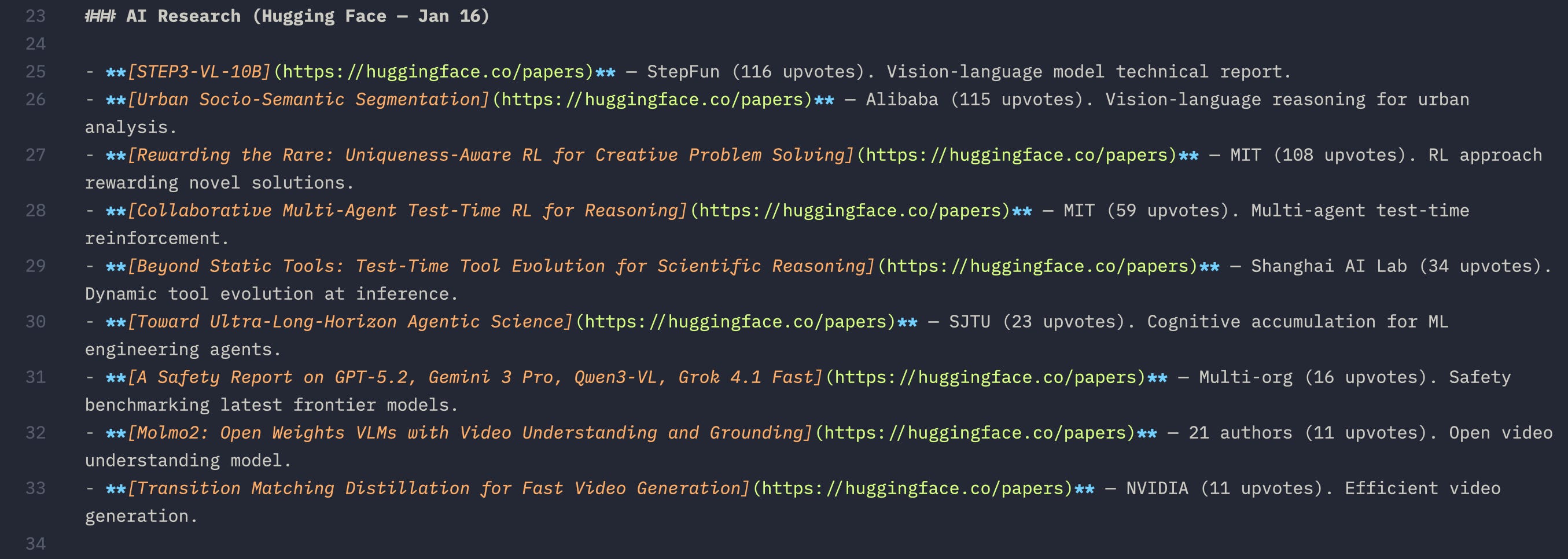
You can write instructions in plain English and the agent interprets what you mean. Not what you literally typed — what you meant. “Process my inbox and route items to the right folders.” The agent figures out how to do that. You describe the behavior you want and the agent works out the implementation.
If you’re not familiar with markdown itself, it’s just a way to write formatted text in plain text files. Headers start with #, bold text uses **asterisks**, lists use dashes. It’s readable by humans and parseable by machines. Most note-taking apps support it. GitHub uses it. It’s everywhere.
At the root of my second brain project sits a file called CLAUDE.md. This is the system prompt. When Claude Code starts up, it reads this file and internalizes the instructions. I’ve written out the folder structure, the available commands, the behaviors I want — in plain English.
Don’t worry. You don’t really have to even write the markdown files. Claude does that, too.
The Loop That Ties It Together
So we have an agent that can act, and markdown files that tell it how to behave. The final piece is understanding how these work together in practice.
When I give Claude a task, it enters a loop: think, act, observe, repeat.
First, it thinks about what needs to happen. Then it takes an action — reads a file, writes something, runs a command. Then it observes the result of that action. Based on what it sees, it decides what to do next. This repeats until the task is complete. The agent acts, the markdown files guide it, and the loop keeps it moving until the job is done. That’s the whole system.
Download
For those who want to try it out, you can download the starter folders and files below, a perfect start for your very own second brain system.

The structure of the start files are intentionally minimal — designed to be general, flexible, and scalable. You and Claude can add folders and files as you need them, customize the commands, but I’d hold off on adding too many features until you have a sense of what you actually need.
Don’t hold back on experimentation, though. That’s how you grow. You can always trash the files and start from scratch anytime
Getting Started
Once you’ve downloaded the files, you’ll need Claude Code running to bring the system to life.
Setting Up Claude Code
Claude Code is Anthropic’s agentic coding tool. It runs in your terminal and can read, write, and execute files in your project. You can install it by following the docs at claude.ai/code.
A note on pricing: Claude Code requires an Anthropic API subscription. As of January 2026, you’re looking at roughly $20/month for the Pro plan, which gives you access to Claude’s best models. There’s also a usage-based option if you prefer pay-as-you-go.
If you’re less technical and the terminal feels intimidating, there’s a newer option: Claude Code in the browser. I haven’t experimented with it yet, but it’s designed to provide the same agentic capabilities without requiring a local terminal setup. IT may be perfect for non-technical folks.
Privacy and Alternatives
I should be clear about what Claude Code is good for and what it isn’t.
This system works well for personal knowledge management, creative projects, learning, and general productivity — the kind of material you’d be comfortable sharing with a smart assistant. I use it for goal tracking, news gathering, drafting blog posts, organizing ideas. None of that is sensitive.
But if you’re working with confidential business data, medical records, financial information, or anything you’d be uncomfortable sending to Anthropic’s servers — Claude Code isn’t the right choice. Your prompts and files are processed through their API. That’s the tradeoff for using a frontier model.
Open Source Options
Dealer’s Choice
For those who need privacy or can’t justify the cost, there are other options. Open source models like Llama, Mistral, and others can run locally on your own hardware. Tools like Ollama make local model deployment accessible. Agentic frameworks like CrewAI or LangChain can orchestrate local models. You can build a similar second brain system with these tools — the markdown-as-configuration pattern works regardless of which model is doing the interpreting.
Frontier models like Claude still lead in reasoning, instruction following, and handling complex tasks. A year ago, open source models were significantly behind, but the gap is shrinking faster than the frontier is advancing. Now, for many practical tasks, they’re close enough. The trajectory matters more than the snapshot.
Pick Your Sync Strategy
You’ll want a way to keep your second brain backed up and accessible. Pick one approach:
GitHub — If you’re comfortable with git, this is the cleanest option. Your second brain becomes a repository. Every change is versioned. You can access it from any machine by cloning the repo. I use this approach — it fits naturally into a developer workflow and gives me full history of everything.
Obsidian — If you’d rather stay in a visual app, you can open this folder structure directly in Obsidian. The markdown files render nicely, you get the graph view, and Obsidian Sync can handle backup and multi-device access. Or you can use a system based around dropbox or iCloud. The tradeoff is you’re adding another layer between you and Claude — you’ll be switching between Obsidian for viewing and Claude Code for acting.
Pick one. Don’t try to do both — you’ll create conflicts and headaches keeping them in sync.
Configuring Your Sources
The one thing you should probably type yourself
One of the first things you’ll want to set up is your sources file. This lives at 05-System/sources.md and it’s how you tell Claude where to look when you run /gather.
The format is simple: just a list of URLs organized by how often you want them checked. I break mine into daily sources (news sites, AI blogs), weekly sources (podcasts, YouTube channels, newsletters), and reference sources (my own sites, key people — things Claude should know about but not actively fetch).
You can tag sources with hashtags like #ai or #design so you can gather selectively. Say “gather AI news” and Claude filters to just the sources tagged #ai. Say “gather everything” and it pulls from all of them.
The starter project comes with some example sources to show the format, but you’ll want to replace these with your own. Think about what you actually read — or want to read but never get around to. News sites, industry blogs, newsletters you subscribe to, YouTube channels you follow, podcasts you listen to. Put them all in one place and let Claude do the gathering.
First Steps
Once your sources are configured and Claude Code is running:
Create your first goal. Make a folder in
01-Goals/with your goal name, add agoal.mddescribing what you’re trying to accomplish and why it matters.Run your first gather. Say “gather news” or just “what’s new?” and watch Claude pull from your sources and compile a brief.
Start talking. Say “process my inbox” or “what should I work on today?” and see what happens.
The system might be rough at first. That’s fine — it grows with you. When something doesn’t work the way you want, tell Claude to update the CLAUDE.md. When you want a new command, ask Claude to make you one. The flexibility is the point.
And if you feel lost, just ask Claude to explain it. That’s part of the practice. Claude can be a powerful learning tool and teach you on your own terms.
TL;DR
Traditional second brains fail because maintenance is tedious
Claude Code changes the game — the AI maintains the system, you just use it
Five commands handle 90% of workflows:
/gather,/process,/summary,/goal,/runMarkdown files configure the agent — plain English instructions, not code
The agentic loop (think → act → observe → repeat) makes it autonomous
Download the starter project and customize from there